The Challenge: Scanned Certificates, Manual Chaos
COC (Certificate of Conformance) files are an essential part of the supply chain, but they often arrive as scanned documents via email, bundled, unclear, and disconnected from the ERP.
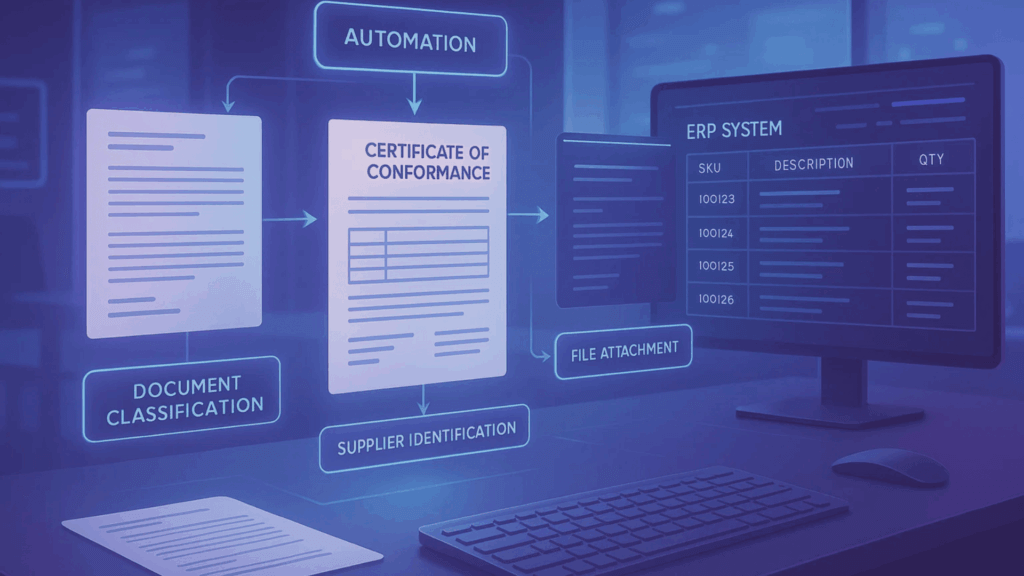
For every file, teams are stuck doing manual detective work:
- Who sent this? Which supplier?
- What SKU does it belong to?
- Does the document need to be split?
- Which code type applies?
- Where should it be uploaded in the ERP?
Each of these steps wastes valuable time and is prone to error. And it’s not just about extraction; the real bottleneck is in validation, classification, and integration.
The DOConvert Solution: End-to-End Automation for COC Files
We’ve added a new use case that fully automates the way you handle COC files:
- Ingests scanned files from email attachments
- Splits bundled PDFs into separate documents
- Classifies by supplier automatically
- Extracts and translates SKUs to match your ERP
- Detects and applies the correct code type
- Pushes the file directly into the right SKU in Priority ERP
No more sorting through inboxes, renaming files, or uploading them manually. Everything just happens.
The Value: From Manual Tedious Work to Instant Flow
You don’t just save time on data entry, you remove the operational drag across the entire process. By automating validation and classification, DOConvert:
- Frees up your team from repetitive work
- Reduces errors and mismatches
- Makes COC files searchable and accessible where they belong, inside your ERP
This use case is now available for all Priority ERP users.
Questions You Might Be Asking about automating COC File:
Q: We get COC files from multiple suppliers, and they all look different. Can DOConvert handle that?
A: Yes. We built this use case exactly for that scenario. Whether it’s different formats, layouts, or scan quality, our system can classify, extract, and route each file correctly.
Q: What if the document includes several COCs in one scan?
A: That’s common, and we handle it automatically. DOConvert splits the file, tags each part, and connects it to the right SKU and supplier in Priority.
Q: We don’t always know which code type to choose. Can that be automated too?
A: Absolutely. Based on the supplier and SKU, we automatically pick the right code type. You can also override it if needed.
Q: Is this hard to implement? Will I need IT to support it?
A: Not at all. If you’re using Priority, we’ve already done the heavy lifting. Most customers are live within days.