
DOConvert 2.4.0: Smart Organizations, an integration engine that verifies, completes and updates ERP data, Document Groups, native Excel and a new Oracle ERP integration.
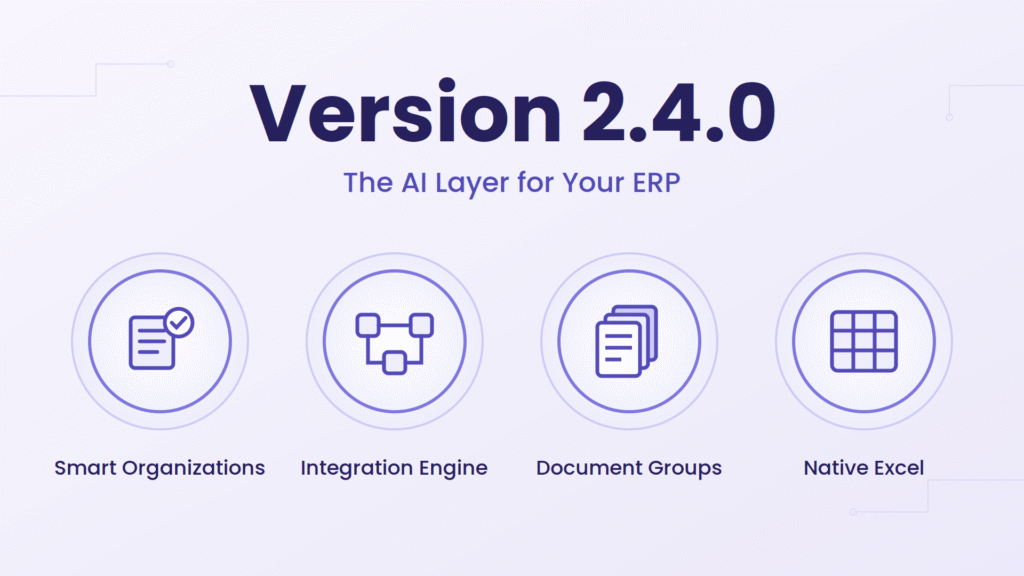
The release where DOConvert stops depending on templates and starts understanding who sent each document. Smart Organizations recognize the sender and apply their rules automatically; the integration engine grew from field mapping into export flows that verify, complete, and update data inside the ERP; multi-document processes are handled as Document Groups; and everything became transparent. Add native Excel, a new Oracle ERP integration, and self-running failure management, the largest DOConvert release to date.
488 Total changes | 339 Features & improvements | 149 Bug fixes
Smart Organizations · Integration Engine · Document Groups · Native Excel
Top Highlights
No More Templates
DOConvert now knows who the document came from. Every supplier and customer is recognized on arrival, and their settings are applied automatically, so a new sender starts working the same day instead of after a template project.
- New suppliers work out of the box, with no mapping session
- Unsure matches wait for your approval instead of guessing
- The same document from ten senders no longer means ten templates
An Integration That Does the Thinking
Getting a document into the ERP is rarely just field mapping. DOConvert now checks the numbers, fills in what the document didn’t say, updates records that already exist, files the original document, and runs multi-step processes end to end.
- Wrong prices and totals are caught before anything is posted
- Missing details are completed from the ERP itself
- Multi-step processes (PO → GR → invoice) run in one flow
Document Groups
Some business processes arrive as a pile of documents, not one. Customs import files, delivery packs and their invoices are now handled as a single case you can follow, approve and post together.
Nothing Happens in the Dark
You can now answer “what happened to this document?” in seconds: where it came from, what ran on it, what changed, and why it stopped.
- A readable story per document instead of a status code
- Live progress while a document is being prepared and imported
- Full email tracking, from the incoming message to the final result
Excel Files as Source Documents
Excel files (.xlsx, .xls) are now processed directly as source documents. Sheets are parsed from workbook data, values are read from cells, and the original sheet layout is available in the preview.
Failures That Handle Themselves
Most failures never need to reach you. The ones that do reach the right person, with the right context, and everything that was tried is on record.
- The right alert goes to the right person automatically
- Issues that truly need a human are kept in their own queue
- Retries, emails and decisions are all traceable afterwards
See Every Email That Arrived
If a document is missing, you no longer have to ask the mail server. Every incoming email is listed with its attachments, so “we sent it” can be checked in one click.
- Full inbox view per listener with clear processing status
- Open or download any attachment without leaving the page
- Whitelist trusted senders and block noisy ones
Organizations: Goodbye Templates
Every Sender Recognized
DOConvert works out which company is behind a document and applies that company’s document types, hints and rules for you. Onboarding a supplier stops being a project.
- Recognition is cross-checked, so a similar name never wins over the wrong tax ID
- Confidence is part of the decision: weak matches are not acted on
You Stay in Control
A company nobody approved never posts to your ERP. New senders arrive as pending until someone says yes.
- Approve or dismiss from the document itself or the organizations page
- Approve straight from the notification email, without logging in
One Place for All Your Senders
The organizations page shows who sends you documents, how much they send, and when they were last active, so you can spot a supplier who went quiet.
- Volume and last-document date per company
- Filter approved vs waiting, search and page through thousands
- Edit, re-match or remove a company in a click
Onboard the Next One in Minutes
Suppliers who look alike can share a setup. Copy a working configuration onto a new company and adjust the differences.
- Duplicate a full configuration to a new sender
- Matching fields keep their hints automatically
- Change a sender’s document type at any point without redoing the setup
Linked to Your ERP for Good
The first time a company is matched to an ERP record, DOConvert remembers it. From then on identification is instant and always the same.
- No more relying on an ID being printed on the page
- Consistent supplier and customer identification across every document
Your Own Company, Never Confused
Your business details are declared once in settings so DOConvert never mistakes you for the sender, a classic cause of wrong matches.
- Teach the system which tax IDs belong to whom
- Your own IDs are ignored when identifying the issuer
The Integration Engine
Verify Before Posting
Prices, totals and quantities are compared against what your ERP expects, and a document that doesn’t add up is stopped with a plain-language explanation instead of quietly becoming a bad record.
- Set how much difference is acceptable, so rounding never blocks work
- Compare against the ERP or against another value on the document
Update Records, Not Just Create Them
Documents can now correct and extend what already exists in the ERP, including the line-level subforms that used to require manual work.
- Change prices and other details on existing records
- Works on any record type, standard or custom
- Write the document’s lines into child screens automatically
Fill In What the Document Didn’t Say
Documents are rarely complete. DOConvert looks the missing details up in your ERP so people don’t have to.
- Find the related record using several criteria at once
- Try one lookup, then another, until something matches
- Decide what happens when nothing is found instead of failing blindly
Documents With Several Orders
An invoice covering multiple purchase orders or goods receipts is now handled properly instead of being squeezed into a single reference.
- All referenced orders are kept and matched to the right ERP records
- No more manual splitting of consolidated invoices
Attachment Options
Control where the source file is attached. A single document can be attached to multiple ERP entities at once, including a custom entity of your choice.
- Attach to purchase orders, invoices, goods receipts, shipments or items
- Attach the same document to several entities in one run
- Define a custom target entity when the standard ones don’t fit
Whole Processes, Not Single Actions
One document can drive a chain of ERP steps, each one using what the previous step created, the way the process actually works in real life.
- Run sequences such as purchase order → goods receipt → invoice
- Any combination of record types is supported
- If one step fails, the process resumes from there instead of starting over
Import Files and Their Invoices Together
Everything that belongs to one import, the import file and all the invoices that came with it, is processed as a single case.
- Customs files, delivery packs and matching invoices grouped automatically
- Create the import file and link every invoice in one run
- Fix one problematic step without redoing the whole batch
- Approve and post the entire case in one action
Rules You Can Actually Manage
Each rule is a small workflow of its own: what to check, where to send it, and what to do when something goes wrong, all editable without a developer.
- Build checks and integration targets visually
- Catch problems before anything reaches the ERP
- Choose per rule whether to retry, skip, hold for review or reroute
- Turn rules on and off and set the order they run in
Document Groups: One Process, Many Documents
Grouped Automatically, or by You
Related documents are recognized as one case, and you can also group them yourself when the situation calls for it. Each case carries an ID you can follow anywhere.
Import Files and Invoices Arrive Together
One email can carry an import file together with the invoice documents it covers. DOConvert identifies the import file, matches it to the invoices in the same email, and handles them as a single workflow.
- No splitting emails or sending documents separately
- The whole shipment is handled as one case
Add Documents to a Group
Any document can be added to an existing group in one action, so related files that arrived separately can still be processed as one case.
- Add from the document list or from inside the group
- Group membership stays visible in every document’s details
- Remove or reassign a document if it was attached to the wrong case
Compare Fields Across Documents
Compare values from two documents in the same group to catch mismatches before anything is posted. Prices, totals, IDs and quantities can be checked side by side.
- Pick any two documents in a group and choose which fields to compare
- Mismatches are flagged with the source value and the target value
- Set whether a mismatch should fail the group or just warn
Fill One Document From Another
When a document in a group is missing a value, copy it from another document in the same case. The target field is filled with the source field’s value and kept visible for review.
- Map source and target fields from different documents
- Fill a single field or several fields at once
- Filled values are marked so they can be checked before posting
Follow the Whole Case at Once
Groups appear as one line in your work queues, with a single status for the case and a results view showing what happened at each step.
Approve Once
One approval posts the whole case to the ERP as a unit, and it can be reopened when something changes.
Archived as a Case, Restored as a Case
Groups stay intact through archiving and restoring, so history never breaks apart.
ERP Coverage
Priority: Broader Coverage
More of the purchasing cycle is now automated end to end, with the safeguards that keep the books clean.
- Purchase orders supported, including creating one from an order
- Goods receipts spanning several purchase orders handled correctly
- Invoices linked to the real receipts and orders behind them
- Duplicate posting prevented when the record already exists
Record Lookup Filters
When looking up a goods receipt or purchase order in the ERP, you define which fields are used to filter, and how the conditions combine.
- Filter by any GR or PO field
- Combine several conditions with AND or OR
- If no record is found, fall back to a lookup on a specific field
Priority: Smarter Identification
Fewer documents stall because something wasn’t printed on the page.
- Suppliers and customers identified by name when no ID is present
- Contacts resolved automatically
- Any Priority record can be used to complete missing information
Oracle ERP (NEW)
Oracle customers can now run invoices and sales orders through DOConvert, including supplier sites and multi-currency documents. The integration is live on the Oracle Cloud Marketplace and connects directly to your Oracle ERP environment.
- Available now on the Oracle Cloud Marketplace
- Support for invoices, sales orders, supplier sites and multi-currency documents
- Connects directly to Oracle ERP without middleware
More Document Types Supported (NEW)
DOConvert now recognizes and routes a wider set of procurement and sales documents, so more of your inbox can be processed without manual sorting.
- Proforma invoices handled end to end
- Purchase demands, price quotes and supplier price quotes recognized
- Each document type routed to the right workflow and ERP object
Failure Handling That Runs Itself
The Right Person Hears About It
Decide who is notified, for which kind of problem, at which stage, and what the message says. Nobody has to watch a queue all day.
- Multiple recipients with your own wording per rule
- Preview and test the email before it goes live
- The responsible buyer can be found from the ERP automatically
- Every notification is recorded, so you can prove it was sent
Separate “Broken” from “Needs a Decision”
Documents waiting on a human are kept apart from real errors, so your error queue reflects actual problems.
- Define which messages mean someone needs to act
- Get notified when a document’s situation changes
Retries Under Your Terms
Documents that failed for a temporary reason try again on their own; the ones that can’t succeed don’t waste attempts.
See Everything: History & Live Progress
The Full Story of a Document
Every document keeps a readable timeline: when it arrived, what was extracted, what was corrected, who acted, and when it reached the ERP. Ideal for audits and for ending “who changed this?” discussions.
- Re-matches explain themselves, including why they happened
- Long histories stay readable, grouped by period
Watch the Data Being Prepared
A live bar shows what is running while a document is being completed and corrected, including the fixes DOConvert learned from you.
Watch the Import Happen
Importing to the ERP is no longer a spinner. You see each step and its result as it goes.
Know Why Something Was Left Out
When a line or a receipt isn’t included, DOConvert says which condition excluded it, instead of leaving you to guess.
Excel Support
Excel Files as Source Documents (NEW FORMAT)
Excel files are parsed directly from workbook data rather than rendered as images. All sheets are read, cell values are extracted accurately, and the spreadsheet is shown in its native layout inside the preview.
Attach Excel Files to the ERP
Excel source files can now be attached directly to the ERP record alongside the extracted document, so the original spreadsheet is always available next to the posted data.
- Attach the original .xlsx to the target ERP entity
- Keep workbook data and posted record linked in one place
Fix-it: Teach DOConvert Your Corrections
Fix It Once, Never Again
Corrections you make become rules the system applies from then on: reshaping values, combining fields, cleaning up junk lines and summarizing tables without anyone touching the document again.
- Reformat, combine, clean and rename values automatically
- Turn a column of lines into a single total on the header
Rules Where They Belong
A correction can apply everywhere or only to one supplier, so fixing one sender never affects the others.
- Global rules and per-organization rules side by side
- Value checks stop bad data before it reaches the ERP
Built for Speed
The Fix-it panel is designed for people who correct dozens of documents a day: everything within reach, and changes highlighted after re-extraction so you can see what moved.
Rules for Specific Fields
Teach the system exactly how to handle a single field: what to look for, what to ignore, and how to fix it when extraction is uncertain.
- Attach instructions to any field in the document
- Define expected formats, allowed values, and fallback logic
- Re-extract to see the rule take effect immediately
AI Extraction: More Control, Better Results
Tune Extraction to Your Documents
Extraction behaviour can be set globally, per supplier or per document type, so a difficult layout gets special treatment without affecting anything else.
Let AI Write the Instructions
DOConvert can draft the extraction guidance for a new document type, which you then refine: better accuracy, far less setup time.
Email Ingestion
Email Tracking
A dedicated page shows every email that reached DOConvert, what was attached, and what happened to it, so a “missing document” is answered with evidence.
- Sender, receiving address and clear processing status
- Preview or download any attachment in place
- Whitelist and blacklist senders to keep noise out
Whitelist and Blacklist for Senders
Control exactly which senders are allowed to feed documents into DOConvert. Trusted senders skip review, blocked senders are rejected automatically, and the rest stay in the normal queue.
- Add senders to a whitelist for automatic acceptance
- Add senders to a blacklist to reject their emails outright
- Manage both lists directly from the email tracking page
Redesigned Notification Emails
Every notification DOConvert sends (success, failure, action required, signature requests, license and usage alerts) now uses one consistent, branded design that is easy to scan on desktop and mobile.
- Clear status banner at the top so the point of the email is immediate
- Document summary table with number, type, organization and note
- Direct action buttons that open the right screen in DOConvert
- Consistent branding, footer and support contact across all emails
Digital Signature Flow
Send a Document Around for Signature
Documents can move through an ordered signing chain, each signer reviewing and signing in turn, with the status visible to everyone involved.
- Define who signs, and in what order
- Signers get a secure link and sign in the browser
- Waiting, signed or declined visible at a glance
Import Blocked Until Fully Signed
A document in a signature flow cannot be posted to the ERP until every signer has signed. Once the last signer completes, the document is released and imported automatically, with no manual hand-off needed.
- ERP import is held until the signing chain is complete
- Auto-import triggers the moment the final signature is collected
- Declined or stuck documents stay in review instead of being imported
Early Access
The signing flow is available on request while we expand provider options and audit controls.
Working With Documents
Copy Text, Count Lines, Edit the Output
Everything needed to reconcile a document against its output form, without leaving the preview.
- Select and copy any text from the document straight into a field
- Line counts on both sides, so you can confirm nothing was dropped
- Add or remove lines in the output form before importing
Templates, When You Still Want Them
Template-based extraction is still fully supported and easier to manage: move a template to another document type, find it quickly, and steer how matching works.
Sharper Manual Extraction
For the hardest layouts, manual extraction got more precise: cleaner table handling, rules that stay put, and a preview that shows exactly what will be sent.
Automation
Documents That Finish Themselves
A document waiting on something, like a goods receipt that hasn’t arrived or a record not yet created, keeps trying in the background until it can complete, without anyone remembering to come back to it.
- Set how often to retry, per rule
- Archived and already-imported documents stay out of the queue
- No alarm emails for documents that already succeeded
Keep the Workspace Clean
Finished work can be archived, manually or on a schedule, and restored whenever you need it, without cluttering active queues.
Archive Instead of Delete
Documents no longer need to be deleted to clear the workspace. Archiving removes them from active views while preserving the full record, so you can restore or reference them any time.
- Archive single documents or in bulk
- Archived records stay searchable and restorable
- No risk of losing audit history when cleaning up
Everyday Improvements
Find Any Document Fast
Label documents by hand or automatically from their content, and search by the field that matters to you: invoice number, order, anything.
- The ERP record ID is shown as a badge you can copy in one click
Usage Dashboard
See usage per workspace, how much work was automated this month, and where the volume is going.
Lists Built for Daily Work
Filters, bulk actions and a viewer that remembers where you were: small things that save a lot of clicks when you process documents all day.
- Bulk actions on many documents at once
- The interface fits more on screen, in any language, including right-to-left
Access & Extensibility
Self-service password reset for users, more predefined document types out of the box, and an open plugin API for teams who want to add their own logic.
Reliability
Posting Correctness
A long list of accuracy fixes around ERP posting: credit invoices, consolidated references, blank values overwriting good ones, and duplicate records now behave the way finance expects.
Queues, Lists and Notifications
Work queues refresh when they should, positions are preserved as you page through, and notifications go only to the people who should receive them.
Extraction & Interface Stability
Extraction edge cases, unusual characters, non-English filenames and right-to-left layouts were all cleaned up, and new versions apply without asking you to refresh.
About This Release
Release Scope
This version brings 339 features and improvements alongside 149 fixes, our largest release to date, spanning recognition, integration, visibility and day-to-day usability.
See how Version 2.4.0 transforms your workflow, Book a Demo or Get Started today